Here is a really short video I filmed quickly to demonstrate how to upload a video onto blogger.
Sunday, September 22, 2013

Tuesday, September 17, 2013
My Favorite Song: Tuesday, September 19th, 2013

MY FAVORITE SONG
My favorite song of all time is probably Airplanes by B.o.B feturing Hayley Williams. This is probably because I like the combination of the artists' voices singing together and I find the melody to also be breathtakingly beautiful. You can find the song by clicking on the link below, which will take you to an .mp3 file from my dropbox account.
https://www.dropbox.com/s/c0cxu6lkc11i9gq/Airplanes--B.o.B.mp3

Tuesday, September 10, 2013
2013 Summer Vacation
 This summer, I went to Rome, Italy at the end of August. I had never been there before. In fact, I'd never been to Italy before so it was a fantastic first impression of the country. Something else that made my trip enjoyable was that I was reading Angels and Demons by Dan Brown while I was there. It is a story about the ancient anti-religious group called the Illuminati. The main character has to solve a mystery in order to save the Vatican and it all takes place in Rome. I was inspired by the book and I concentrated a lot more on the artistic and symbolic details that the city of Rome has to offer. Here is the link to the official page of the book if you want to find out more about it: http://www.danbrown.com/angels-demons/
 I went on this trip with my aunt and my cousin and we stayed there for four nights.We mostly saw the popular touristic attractions of the city such as visiting the Colosseum, Vatican, Pantheon, Fontana di Trevi and the catacombs just to mention a few. Overall, I really enjoyed everything but I must say that my absolute favorites were Piazza Navona, Piazza del Popolo and the Vatican. In the Piazzas I mostly liked the atmosphere and exciting mix of tourists, musicians, painters and locals enjoying their free time. In the Vatican I found St. Peter's Basilica breathtakingly beautiful as well as the Sistine Chapel where Conclave (the election of a new pope) is held. The Sistine Chapel ended up being a bit of a surprise to me since I had imagined it being a lot bigger. But the fact that it was smaller only made it easier to absorb all the details and amount of work that went into the paintings. I also liked the Vatican Museums. Here you can find a lot of information on the museums: http://www.museivaticani.va/ My favorite parts of the museums were probably the original classical greek statues and the many paintings by Rafael.
 Another fun thing I did was I met up with a friend I had made in July in France when I went on a camp there to learn french. She lives in Rome so I was able to see her. I had a great time and Rome is definetly a city I would love to go back to.
**all pictures in this post were taken on the trip
Tuesday, April 30, 2013
Wednesday, March 27, 2013
What I have learned about Scribus
What I have learned about Scribus:
In the second trimester of technology class at ASB we have been studying and working with Scribus, the desktop publishing application. I think that this program will be useful in future careers because it can design very professional-looking pages such as magazine or newspaper covers with different kinds of text and images. Before this, I have used Microsoft Publisher which I also find very useful. In the end, that and Scribus work very similarly to do very similar things. Probably the most interesting thing I've learned is how to insert columns into a page, which I didn't know how to do before. I did find it a bit difficult to use at first because I thought it worked just like a word document, but it doesn't. The solution to this for me, was watching tutorials that are on YouTube or any other Internet resource. One thing I love about Scribus is that you can save it as a PDF file which makes it compatible with any computer and also that it makes things look very professional, and most importantly, it's free to download so everyone can use it! I would recommend this program to anyone who wants to make something look professional but with a low budget: it's the perfect resource!
http://www.muylinux.com/wp-content/uploads/2012/01/Scribus_logo.png
Thursday, January 31, 2013
Summary of this Term
This term is technology class we were learning about blogging. Bogging is a tool used to post logs on the web. It is a sort of electronic diary or journal that you want to present to the public. The name comes from 1999 when Peter Merholtz shortened the term web-log to blog. A person who blogs is called a blogger and the world of blogging and the community of bloggers are called blogosphere. There are other services for blogging apart from Blogger like MySpace, LiveJournal or Wordpress. To be able to do a blog your computer must have some HTML knowledge.
To edit blogs you must first sign in to your account and go to the dashboard. Then, you must select the blog you want to edit. You can create a new post or by clicking on "posts", select a previous post to continue.
In a blog, you can post images, videos and links. To do so, you must select the different icons and follow the instructions given.
Here is an example of how to insert a link:
To go to my Carrie Underwood page, I will name the link Carrie Underwood and the URL will be the one on the page.:
Carrie Underwood
Unfortunately there is not an option to insert audio in a blog. But you can do this from Dropbox, putting the MP3 document in the Public Folder and then insert the link into the blog.
To edit blogs you must first sign in to your account and go to the dashboard. Then, you must select the blog you want to edit. You can create a new post or by clicking on "posts", select a previous post to continue.
In a blog, you can post images, videos and links. To do so, you must select the different icons and follow the instructions given.
Here is an example of how to insert a link:
To go to my Carrie Underwood page, I will name the link Carrie Underwood and the URL will be the one on the page.:
Carrie Underwood
Unfortunately there is not an option to insert audio in a blog. But you can do this from Dropbox, putting the MP3 document in the Public Folder and then insert the link into the blog.
Desktop Publishing
-The definition of Desktop Publishing is the process of using a computer to display certain information whether it is in text, image, chart or graphic format. Usually it is a combination of these displayed with the help of a specific type of software. It is supposed to be an easy way for anyone to visually communicate something.
-DTP (Desktop Publishing) can be used for various things. One of them is Graphic Design, which is what numerous newspapers and magazines use it for. Another is for helping people find a job. You can set up a creative and attractive portfolio with a desktop publishing program. It is also used in education where teachers can either display information on a spread so students can visually learn the material which is easier for many, or have students present projects in a creative manner using a DTP application. Another use is to sell and make your business public with advertisements and cards put also to publish important documents within the business. Finally, DTP can be used for having fun, displaying personal interests creatively.
-The main elements that make desktop publishing unique are the fonts, image boxes and columns. These tools make it easier for people to display information in a way that looks formal, presentable and professional. A font is a set of characters with it's own style. An image box is an area where you can insert, edit, and cut an image. Columns can flow into and out of each other and it gives text a good look.
-Some programs for DTP are Adome FrameMaker, Adobe InDesign, Corel Ventura, Fatpaint (talked about in class), iStudio Publisher, Microsoft Office Publisher, Pages, Scribus and QuarkXPress and many more. for image processing are Photoshop, Gimp, Delphinus, iMerge etc.
-A spread is two pages facing each other in a layout set for printing. It contains multiple columns, articles and images.
-When you come down to printing your project, it is recommended to save it as a PDF and then print it.


Saturday, November 17, 2012
Dropbox links
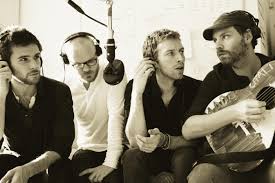
Audio File: (Viva La Vida -- Coldplay)
https://www.dropbox.com/s/u9c6qx8t8hrjkau/07%20Viva%20La%20Vida.m4a
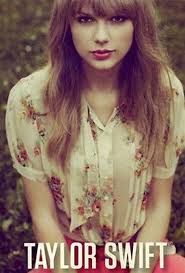
Powerpoint: (Red -- Taylor Swift)
https://www.dropbox.com/s/c12oiin2ggwvsrx/REd.pptx
https://www.dropbox.com/s/u9c6qx8t8hrjkau/07%20Viva%20La%20Vida.m4a
Powerpoint: (Red -- Taylor Swift)
https://www.dropbox.com/s/c12oiin2ggwvsrx/REd.pptx
Wednesday, November 14, 2012
Taylor Swift's New CD (Powerpoint)
Taylor Swift recently released her new album, RED. Here is some information about it.


Tuesday, October 16, 2012
Monday, October 1, 2012
How to use the tools in blogger.
Ever asked yourself what the tools in blogger can be used for?

2)Redo => if you have clicked Undo and change your mind about the image or text you deleted, click Redo and it will reappear.
3)Font => this changes what your text looks like. The options are Arial, Courier, Georgia, Helvetica, Times, Trebuchet, and Verdanda
4)Font Size => You can choose between Smallest, Small, Normal, Large and Largest
5)Format => you can choose if you write your text as a heading, subheading, minor heading or normal text.
6)Bold => this makes the letters bold
7)Italic => this makes your text be written in Italics
8)Underline => underlines the text
9)Strikethrough =>it crosses out the text
10)Text color => changes the color of the text
11)Text backgroung color => highlights the text
12)Add or remove link
13)Insert Image
14)Insert a video
15)Insert jump break
16) Alignment (left, center, right, justify)
17)Numbered List
18)Bullet point List
19)Quote
20) Remove all the formating of the text
21)Check Spelling
3)Font => this changes what your text looks like. The options are Arial, Courier, Georgia, Helvetica, Times, Trebuchet, and Verdanda
4)Font Size => You can choose between Smallest, Small, Normal, Large and Largest
5)Format => you can choose if you write your text as a heading, subheading, minor heading or normal text.
6)Bold => this makes the letters bold
7)Italic => this makes your text be written in Italics
8)Underline => underlines the text
9)Strikethrough =>
10)Text color => changes the color of the text
11)Text backgroung color => highlights the text
12)Add or remove link
13)Insert Image
14)Insert a video
15)Insert jump break
16) Alignment (left, center, right, justify)
17)Numbered List
18)Bullet point List
19)Quote
20) Remove all the formating of the text
21)Check Spelling
Tuesday, September 18, 2012
Music
In this blog, you'll be able to explore all different kinds of songs from different movies, languages, and themes. For each song there will be the lyrics, some background information about the artist and the theme and my personal opinion. I will also post a video clip if I can find one. Enjoy-- Sara :)
Subscribe to:
Posts (Atom)